Deleting Your Account
You can permanently delete your Scope Health account yourself at any time, directly from Settings. Deletion is immediate and cannot be undone, so make sure you have exported or copied anything you need first.
What gets deleted
Deleting your account permanently removes:
- All visits, transcripts, and clinical notes (including visits in the trash)
- All patients and their records
- All custom templates
- All chats and memory rules
- Your profile and sign-in credentials
If you belong to an organization with other members, your membership is removed and data owned by the organization stays with the organization. An organization that only you have ever belonged to is deleted along with your account.
For details on retention timelines, see Data Retention and Compliance.
Deleting your account on desktop
- In Scope, click the Settings icon in the left sidebar.
- Make sure the Personal tab is selected, then look below the Account section in the Settings navigation and click Delete account (just above Sign out).
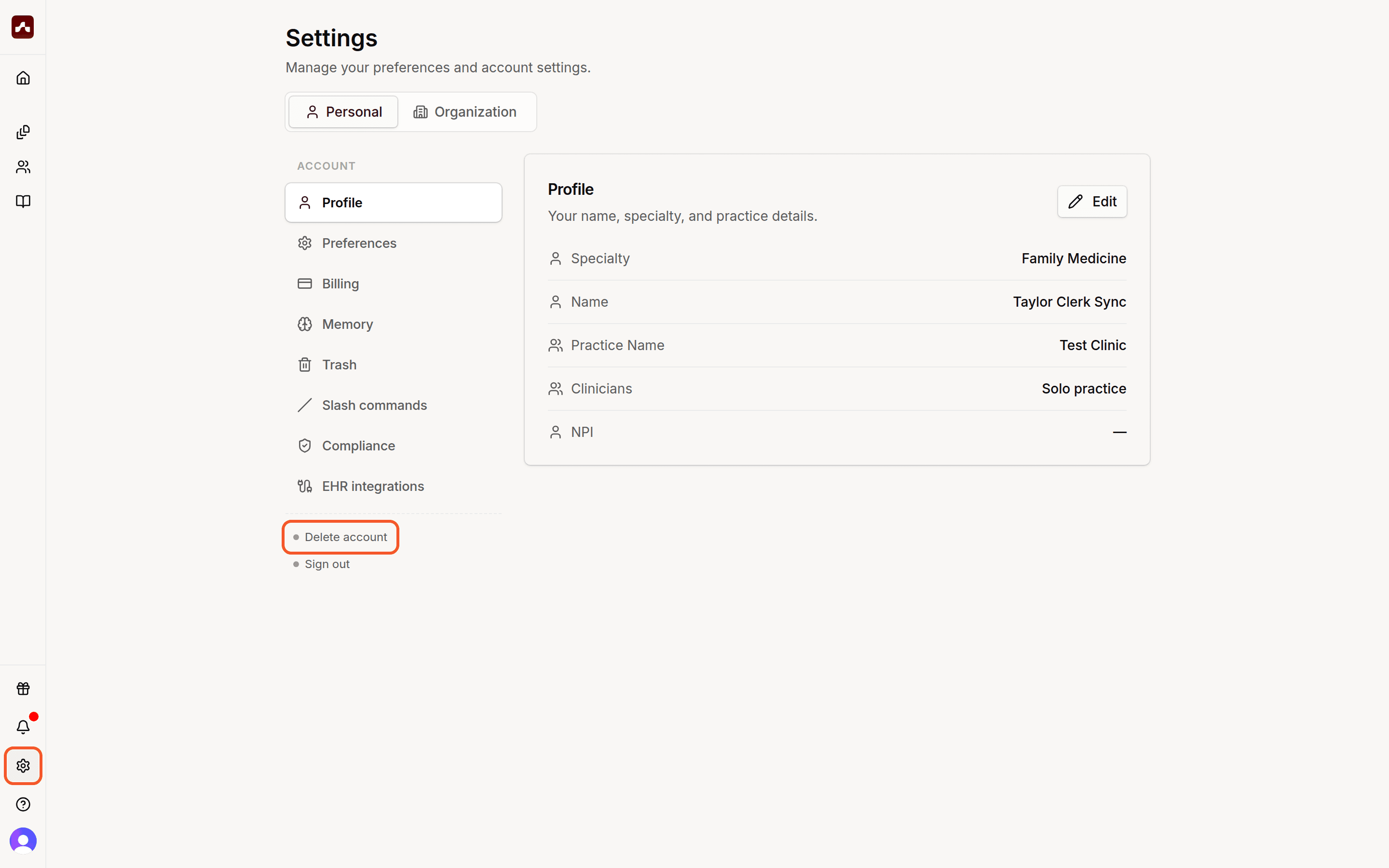 The Settings icon in the left sidebar and the Delete account entry below the Account section
- In the confirmation dialog, type DELETE ACCOUNT in all capital letters.
- Press Enter or click Delete account.
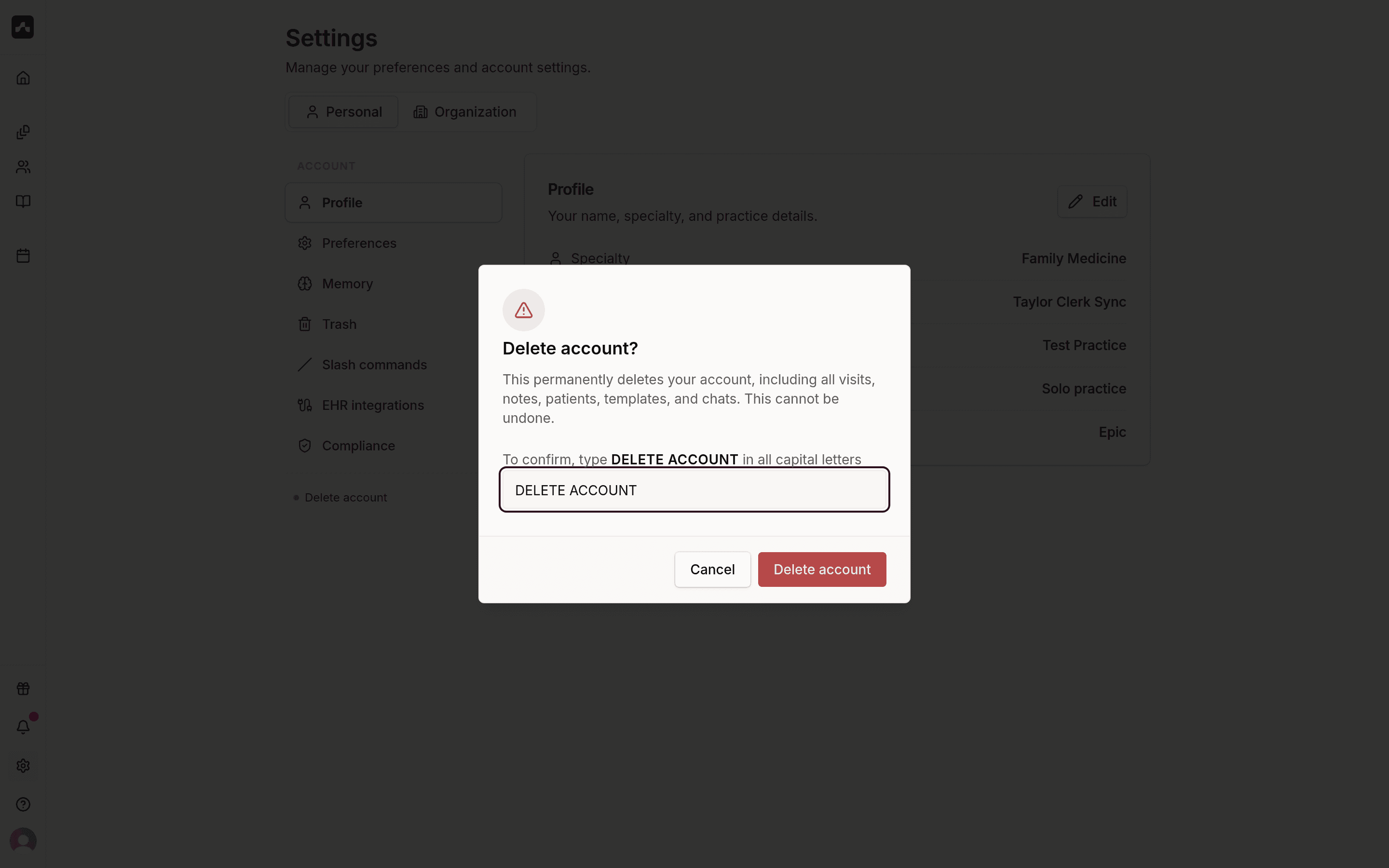 The confirmation dialog with DELETE ACCOUNT typed into the confirmation field
You'll be signed out once the deletion completes.
Deleting your account on mobile
- Open Settings from the home screen.
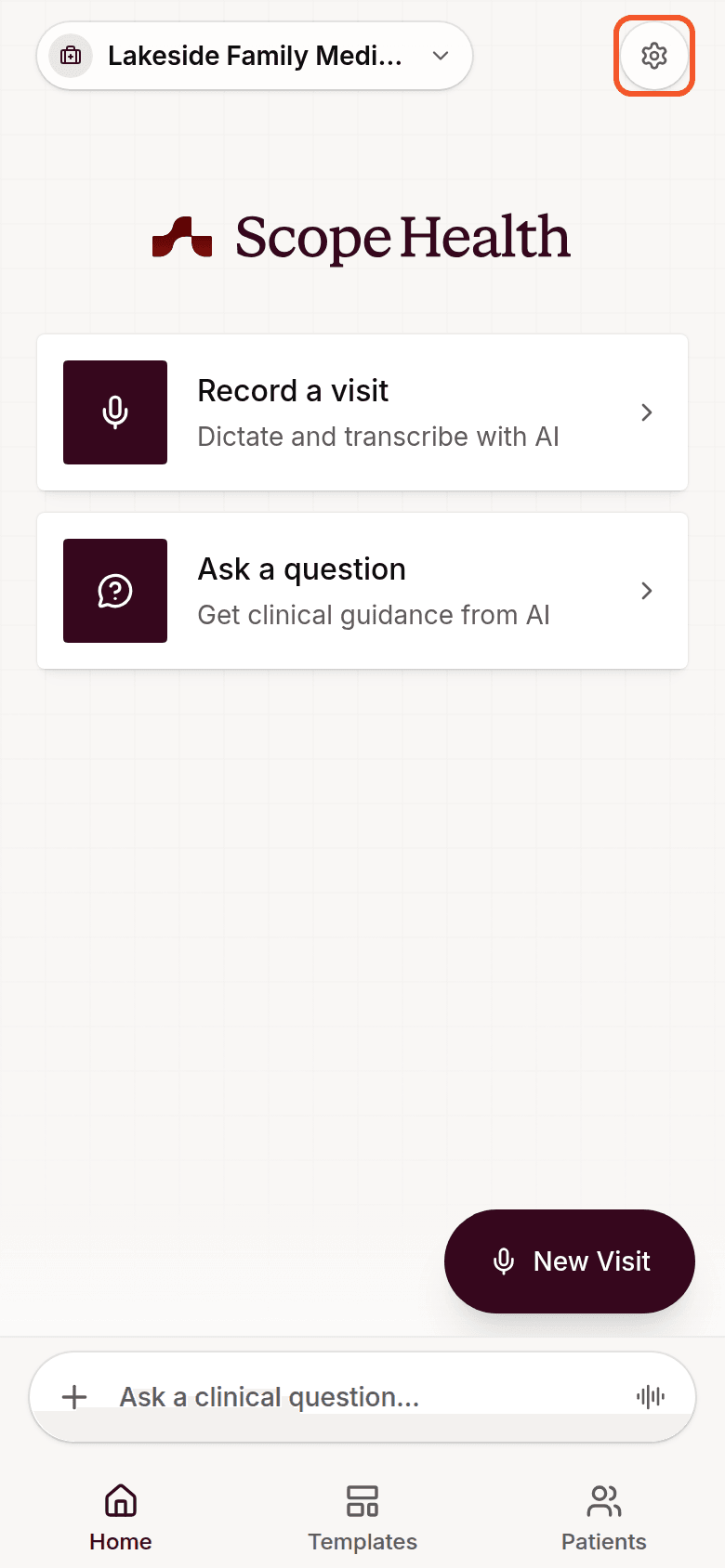 The Settings button in the top-right corner of the mobile home screen
- Scroll to the account card at the bottom and tap Delete account.
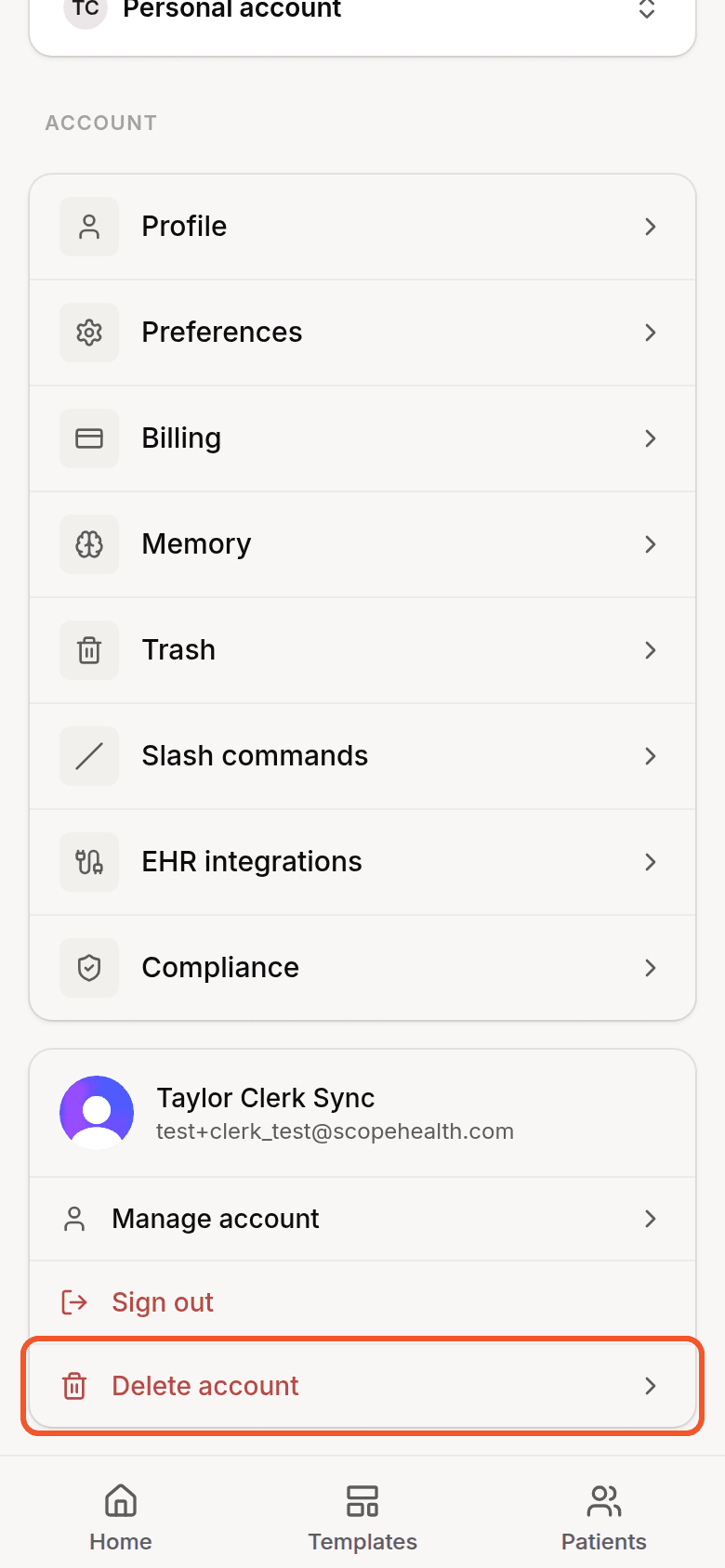 The Delete account option in the account card at the bottom of mobile Settings
- In the sheet that appears, drag the slider all the way to the right to confirm.
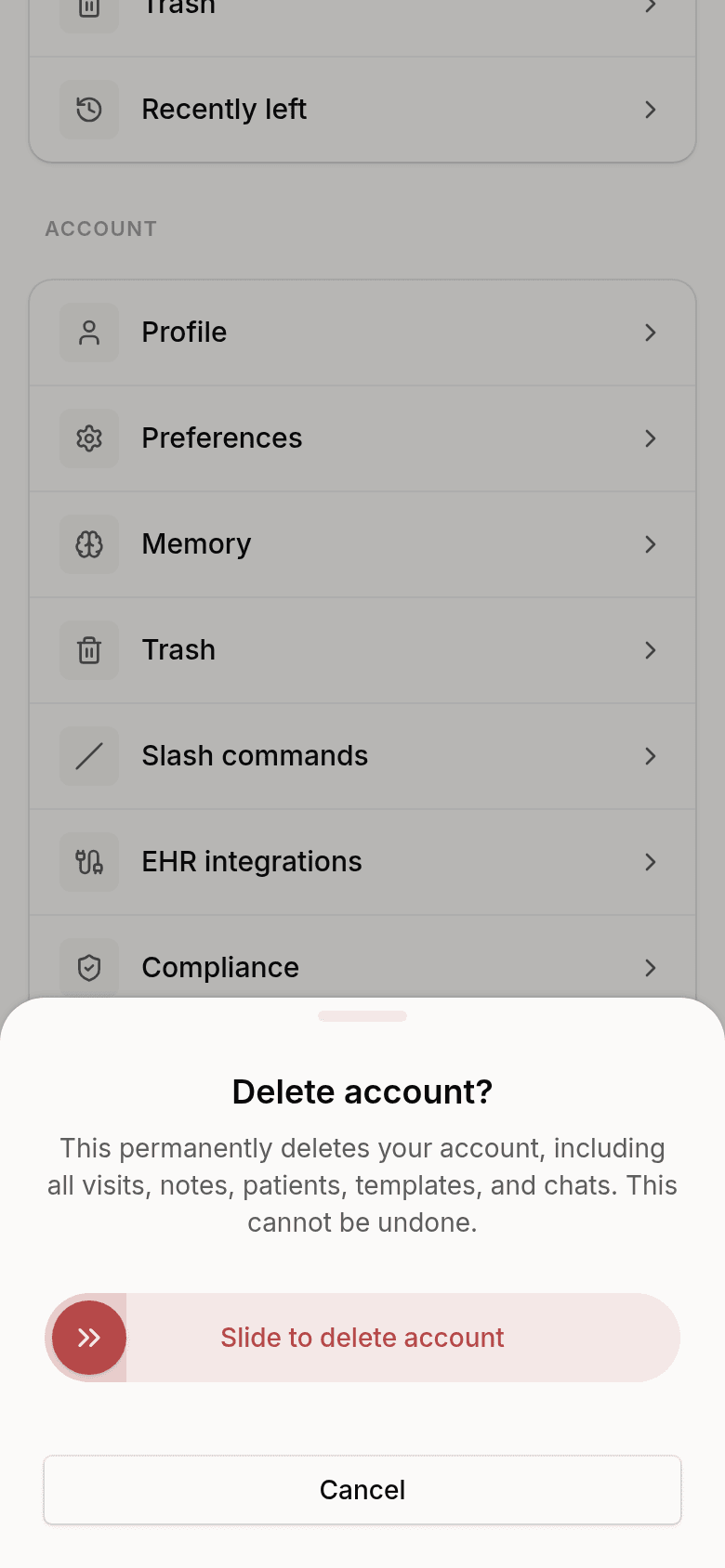 The confirmation sheet with the Slide to delete account slider
You'll be signed out once the deletion completes.
A note on "Manage account"
The Manage account screen is for updating your profile photo, email addresses, password, and connected sign-in providers—account deletion is not available there. To delete your account, use the Settings steps described in this article.
Need help?
If you run into any issues deleting your account, or want to delete your account without signing in, contact support@scopehealth.com and our team can help.