Sharing Templates with Your Organization
Sharing a template makes it available to everyone in your organization — a simple way to standardize documentation across your practice.
Before you start, make sure:
- Your organization is the active workspace (check the workspace switcher)
- Your organization has more than one member — the share option appears once you have teammates, since there's no one to share with in a single-member workspace
- You own the template — only the template's owner can share or unshare it
How to Share a Template (Desktop)
- Go to Templates
- In Your library, hover over the template and click the ⋯ menu
- Click Share with org
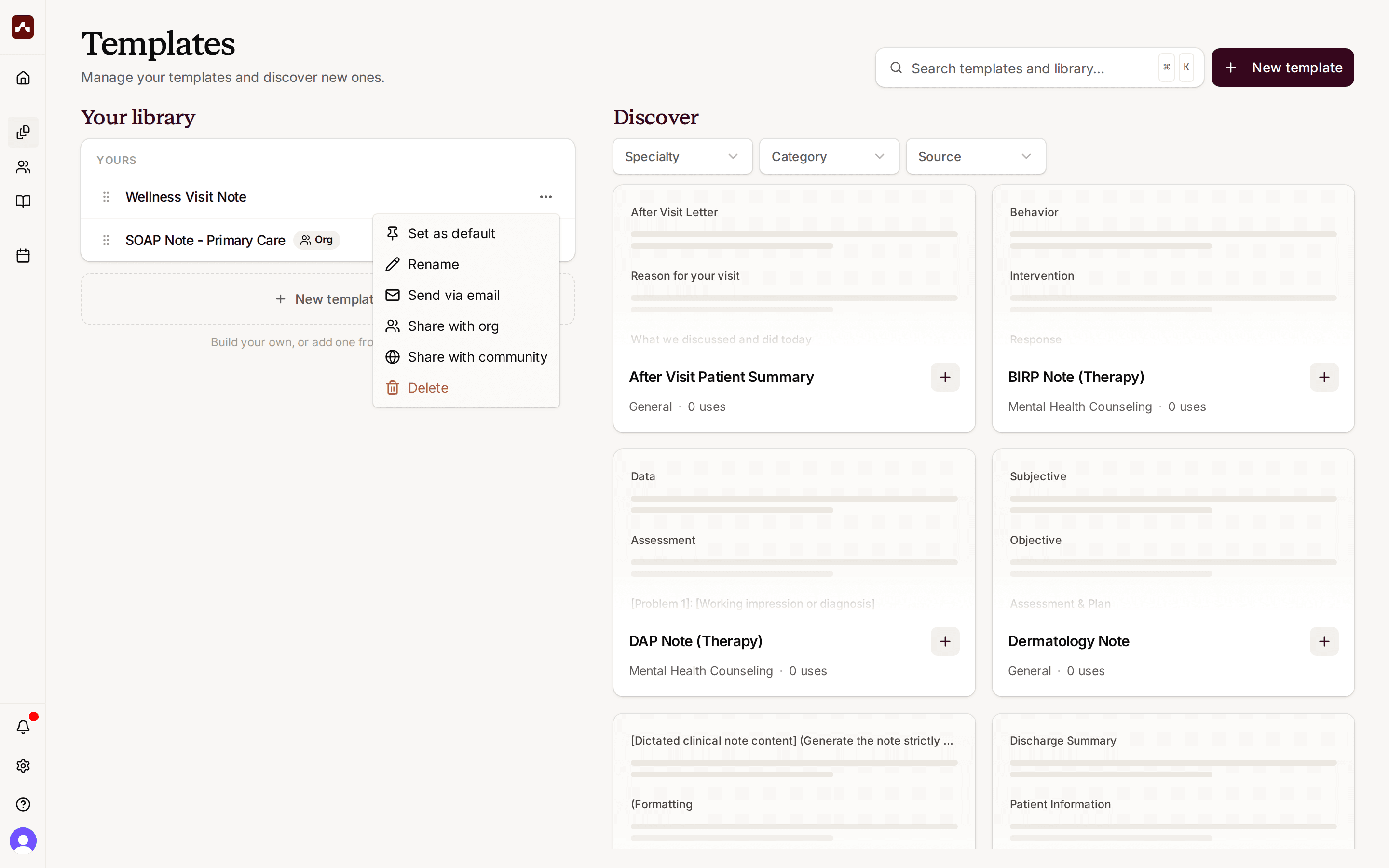 Open the template menu and choose Share with org
The template now shows an Org badge, and every member of your organization can use it:
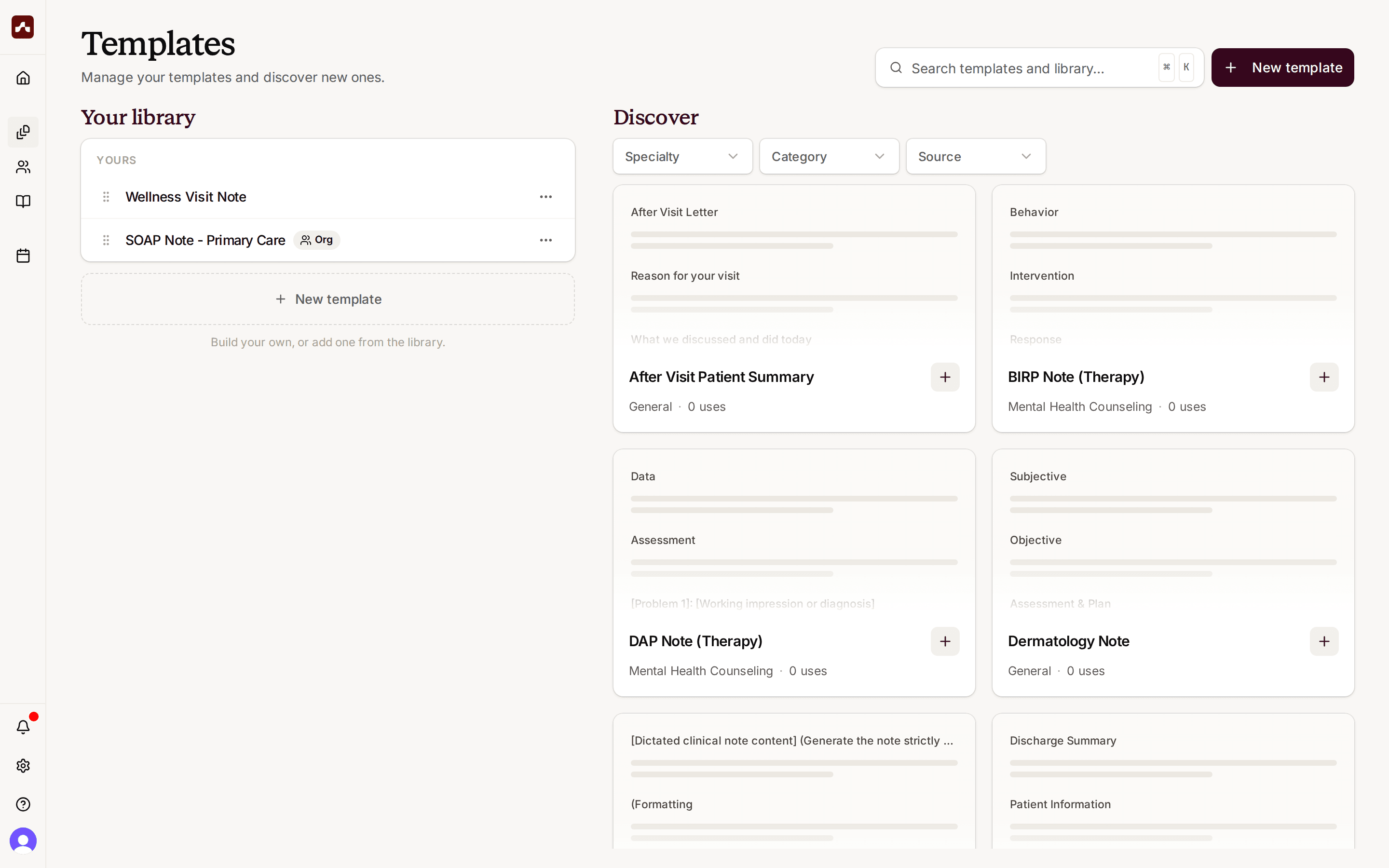 Shared templates show an Org badge in your library
You can also share from the template editor: open the template, click Share, and choose Share with org.
How to Share a Template (Mobile)
- Tap Templates in the bottom navigation
- Tap the ⋯ menu next to the template
- Tap Share with org
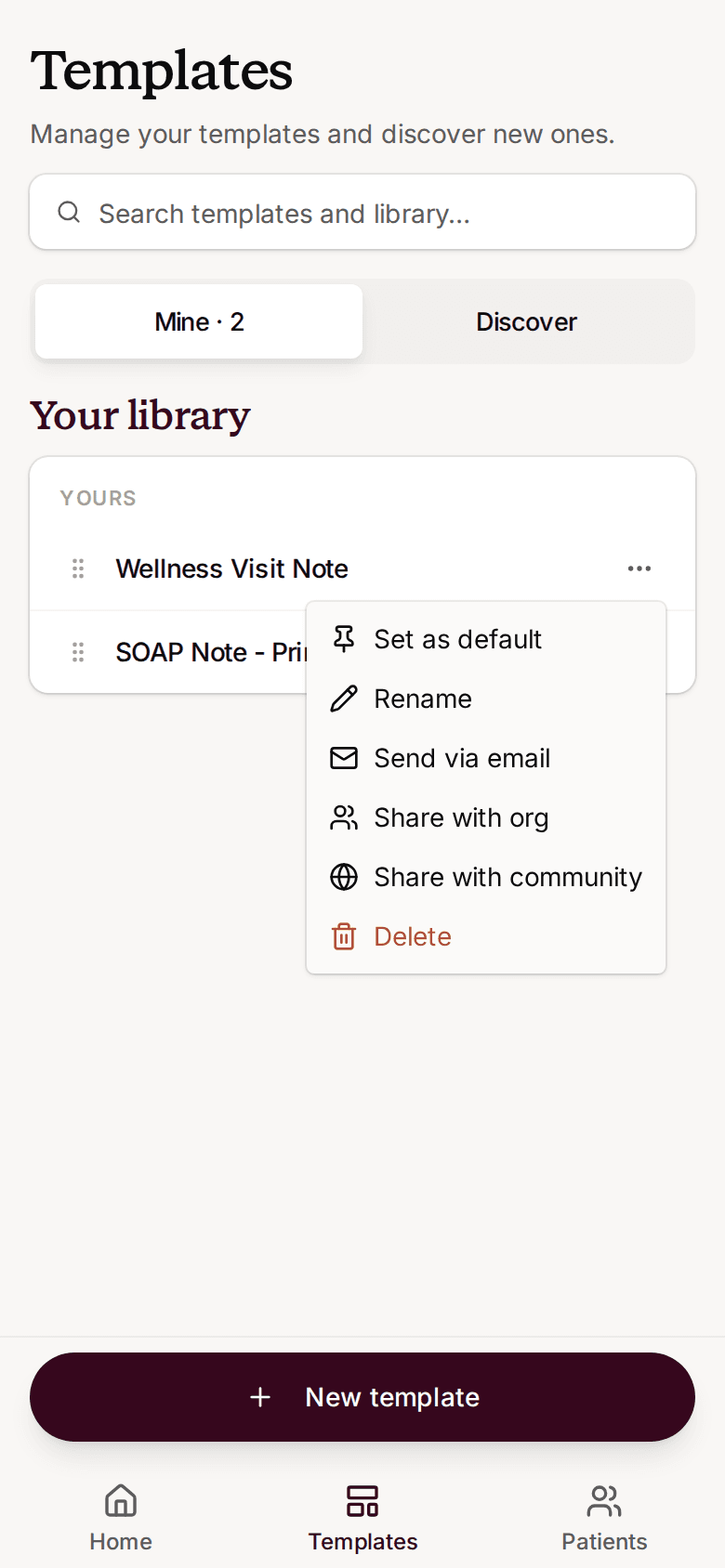 Share a template from the ⋯ menu on mobile
What Your Teammates See
Templates shared by others appear in a Shared with you section of the Templates page, labeled with the owner's name. Shared templates are also available when picking a template for a new visit, marked with an Org chip.
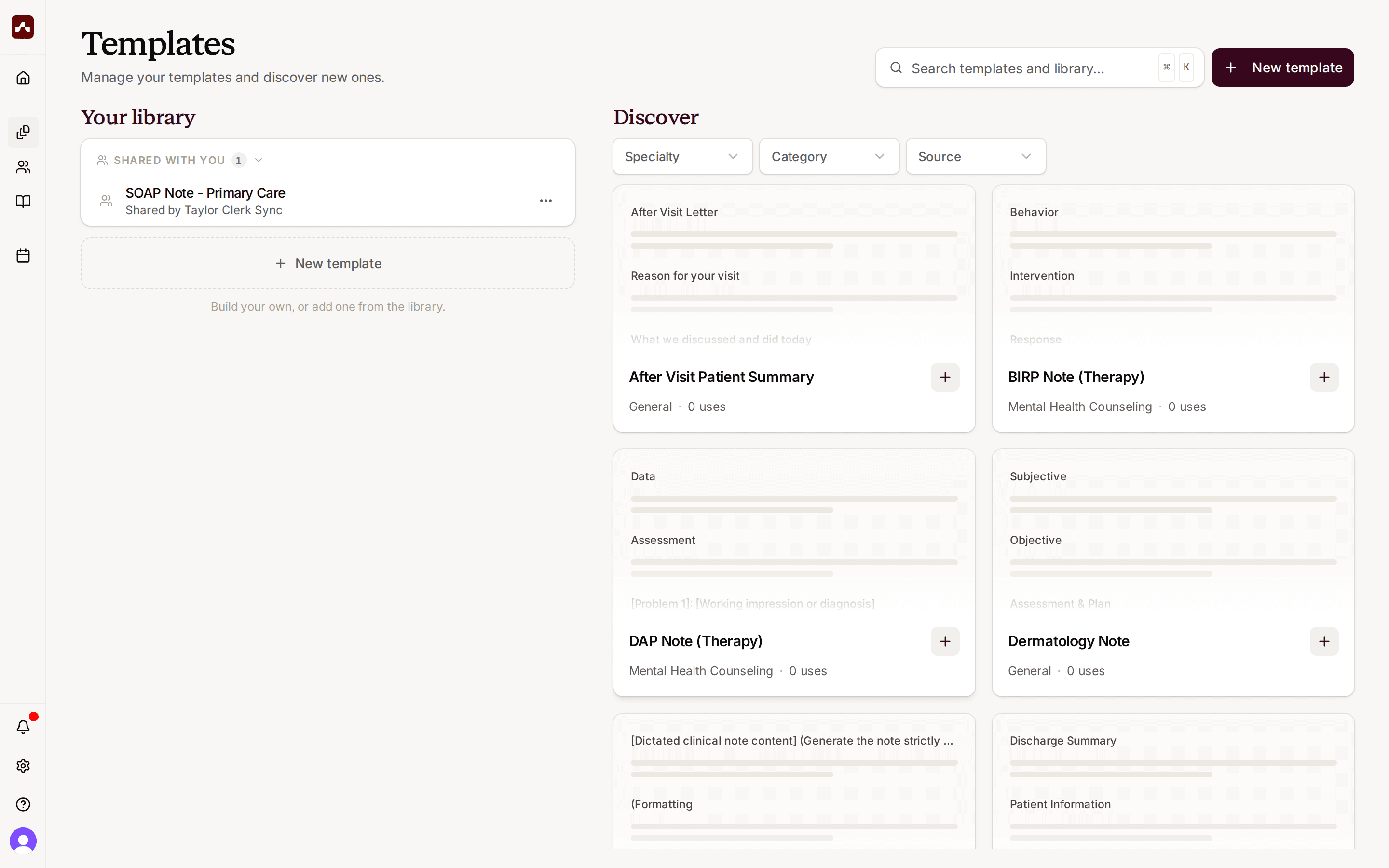 Teammates find shared templates under Shared with you
How Shared Templates Work
- Everyone can use and edit — all organization members can view and edit an org-shared template, so improvements benefit the whole team
- The owner stays in control — only the owner can share, unshare, or delete the template
- Teammates can set it as their default — anyone can make a shared template their default for new visits
Unsharing a Template
To stop sharing, open the same menu and choose Unshare from org. If teammates have visits that use the template, Scope shows how many are affected before you confirm — existing note content is preserved, but the template is removed from their libraries and defaults.