Enabling Patient History for Note Generation
Scope Health can automatically reference a patient's previous visits when generating clinical notes. This feature helps create more comprehensive documentation by carrying forward relevant information like prior diagnoses, treatment plans, and ongoing conditions.
1. Add Instructions to Your Template
To tell Scope what information to pull from previous visits, add instructions enclosed in parentheses () at the top of your template. This guides Scope on what historical context to include.
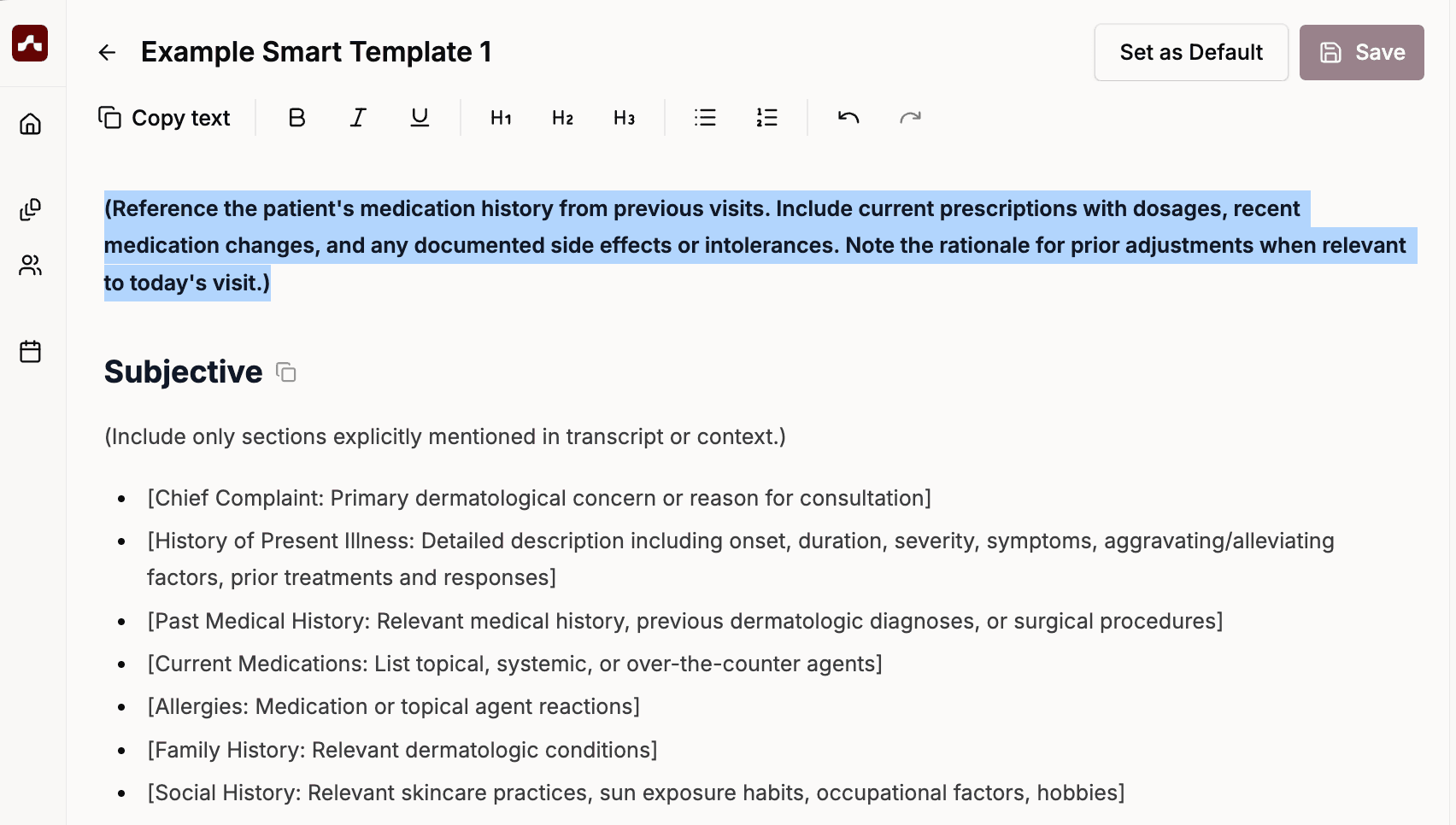 Ask to carry forward prior diagnosis, and optionally exclude information you don't want kept from previous visits as well
Tip: You can add these instructions manually, or use the template chat. For example, ask:
"Add an instruction to carry forward medication history from previous visits, including current meds with doses and any changes or side effects."
The chat will edit your template and add these instructions for you.
2. Link Patients to Your Visits
For patient history to work, your visits must be associated with a patient record.
Create a Patient (if needed)
You can create patients in either place:
Option A: From the Patients tab
- Navigate to the Patients tab in the left sidebar
- Click + Add Patient
- Enter the patient's name and any other relevant information
- Click Save
Option B: From inside a visit
- Open or create a visit
- Click the Select patient... dropdown at the top of the screen
- Click Add patient (or New patient on mobile), then save
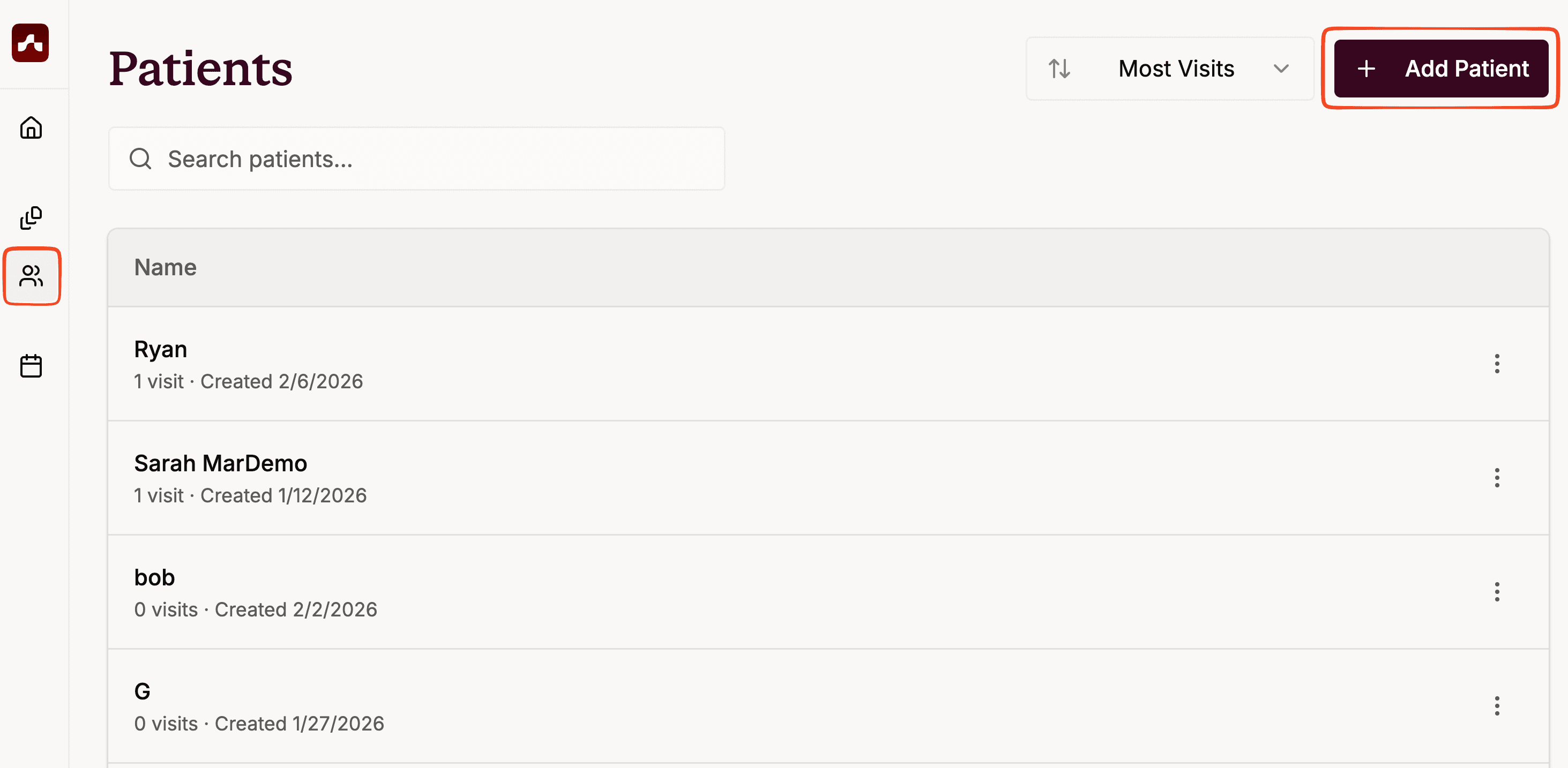 Go to the patient tab and add a patient here
Link the Patient to Your Visit
- When creating or editing a visit, click the Select patient... dropdown at the top of the screen
- Choose the patient from the list
- Ensure your previous visits for this patient are also linked to the same patient record
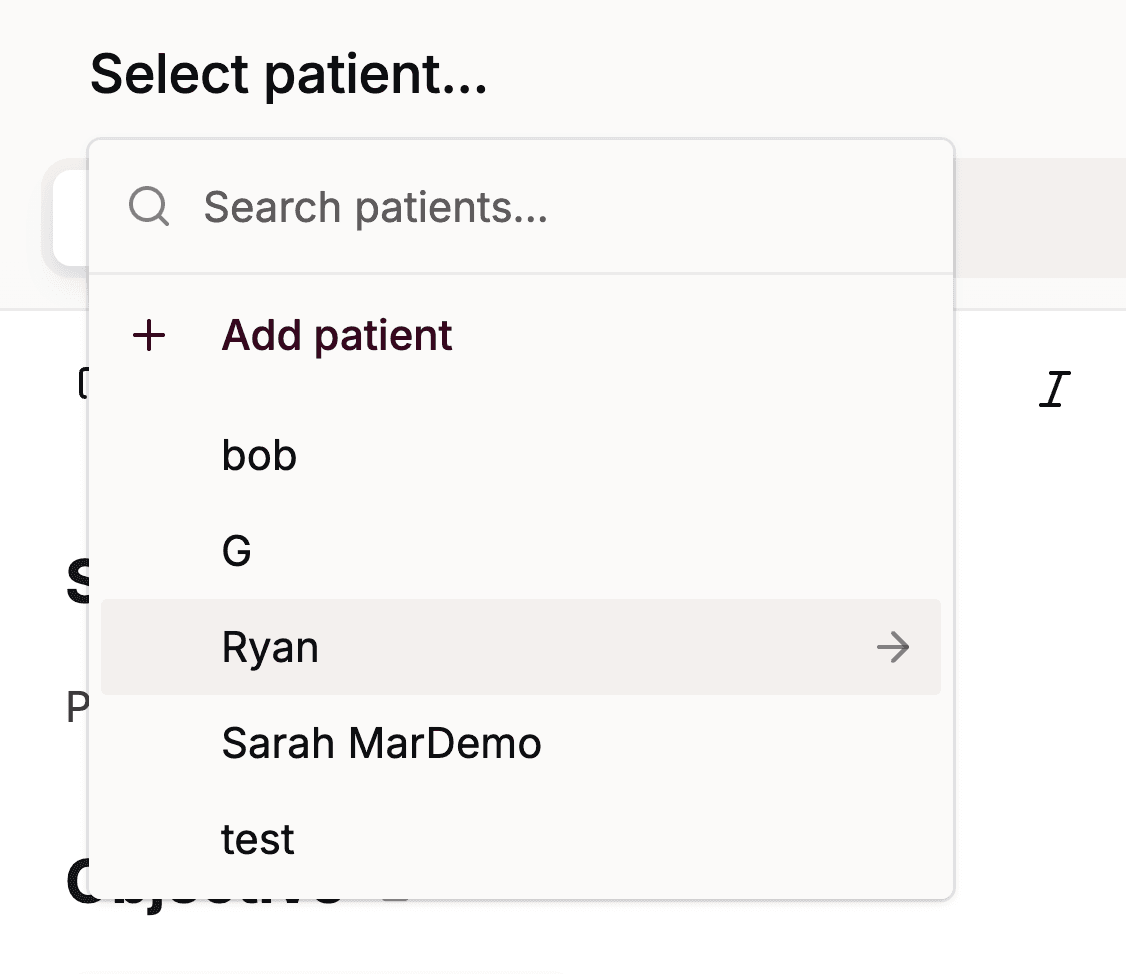 Click on "Select patient…" and choose your patient from the dropdown
Important: Starting a new visit does not automatically create a patient record. Scope can only reference history from visits that are linked to the same patient. If past visits are not linked to a patient, they will not appear in the patient's history.
That's It!
Once everything is configured:
- Create a new visit
- Link it to a patient with prior visits
- Record your session as usual
When Scope generates the note, it will automatically search the patient's prior visits and include relevant context based on your template instructions.
Troubleshooting
If previous visits aren't being referenced:
- Ensure past visits are linked to the same patient record
- Check that the patient is selected from the dropdown (not just typed in)
- Verify the previous visits have generated notes (not just transcripts)
If wrong information is being pulled:
- Adjust the smart instructions in parentheses at the top of your template
- Be more specific about what to include and exclude
- Consider adding "Do NOT carry forward" instructions for information you want to omit
Still need help?
- Contact support@scopehealth.com and we'll help you get set up.