Inviting Your Team
Organization admins can invite teammates to join by email. Invitees receive a link that walks them through creating a Scope account (or signing in) and joining your organization.
Only organization admins can send invitations. If you don't see the invite options, ask an admin of your organization.
Team workspaces are rolling out gradually. If they aren't enabled for your account yet, the invite options offer to add you to the waitlist instead — join it and we'll reach out as soon as your organization can invite teammates.
How to Invite Teammates (Desktop)
You can open the invite dialog from two places:
- The workspace switcher at the top of the sidebar → Invite teammates
- Settings → Organization → Members (or Invitations) → the Invite button
Then:
- Enter one or more email addresses (press Enter or comma between addresses to add several at once — up to 50 per batch)
- Choose a role: Member or Admin
- Click Send invite
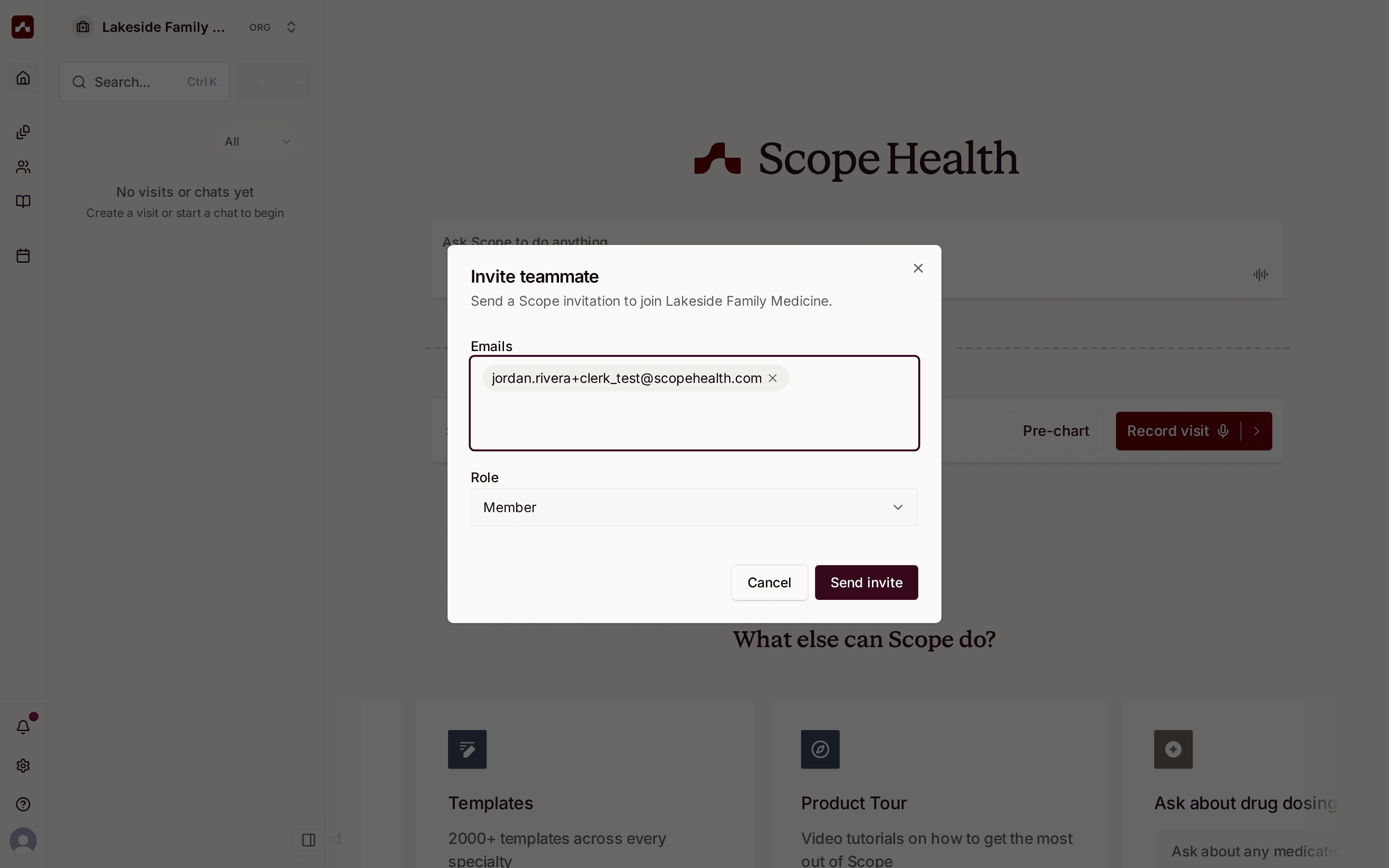 Add teammate emails, pick a role, and send the invitation
How to Invite Teammates (Mobile)
- On the Home screen, tap the workspace chip in the top-left (make sure your organization is the active workspace)
- Tap Invite teammates in the Accounts sheet
- Enter email addresses, pick a role, and tap Send invite
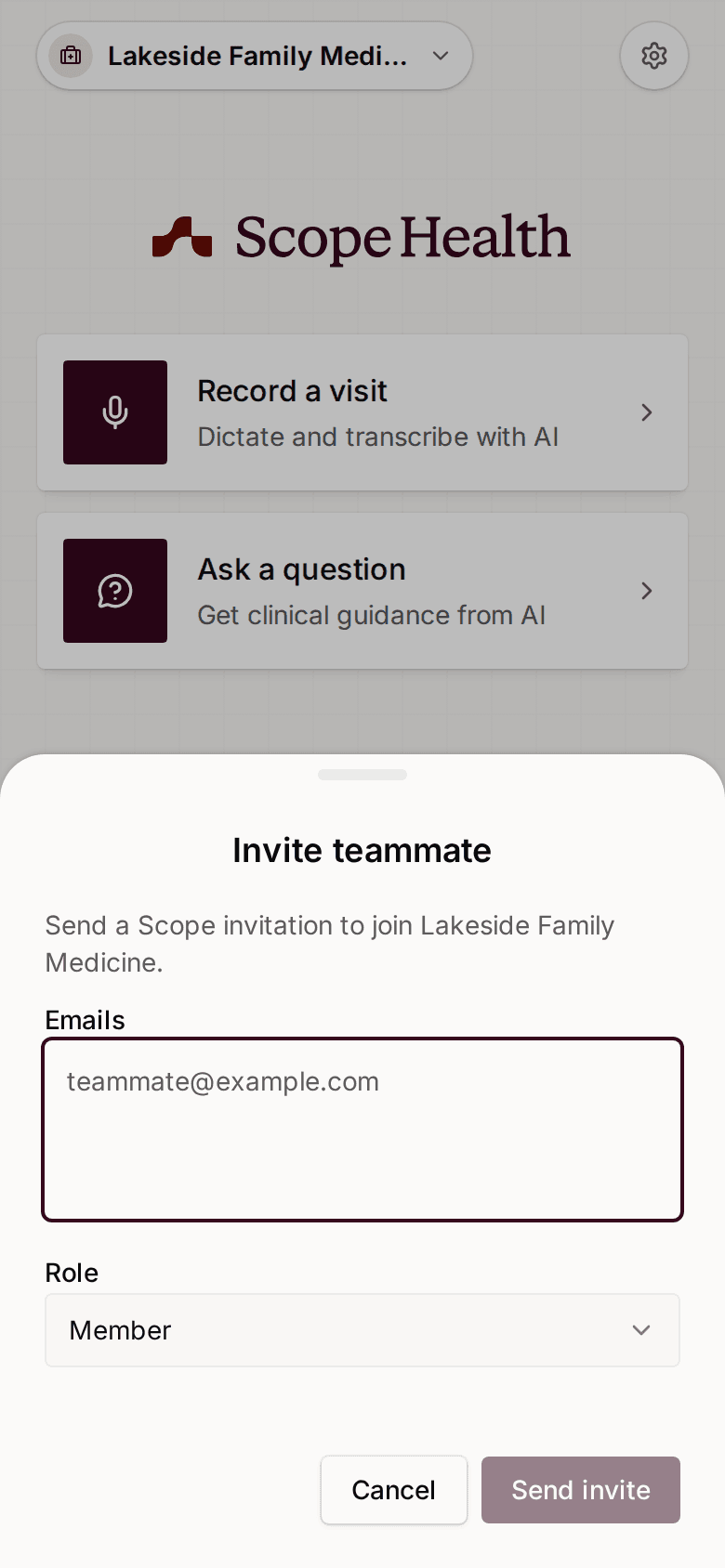 Invite teammates from the Accounts sheet on mobile
Managing Pending Invitations
Open Settings → Organization → Invitations to see everyone who has been invited but hasn't joined yet. Each entry shows the email address, when it was sent, and the assigned role.
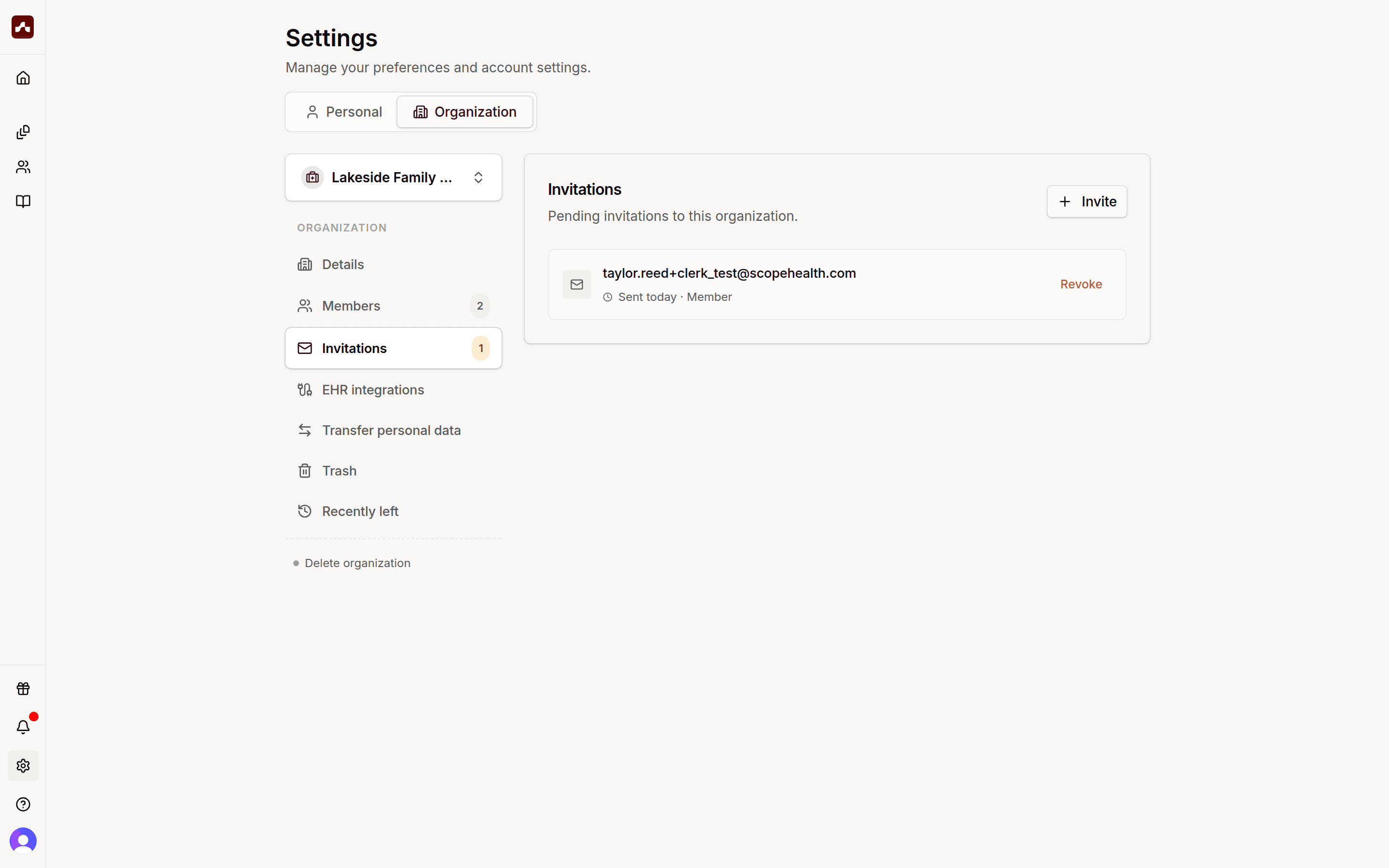 Pending invitations with the option to revoke
- Revoke — cancels a pending invitation so the link no longer works
- To re-send an invitation, revoke it and invite the same email address again
Choosing a Role
| Role | What they can do | |------|------------------| | Member | Work in the organization workspace and use shared templates | | Admin | Everything a member can do, plus invite and manage members, edit organization details, and delete the organization |
You can change someone's role later from the Members list.
Tips
- Invitation links expire after a while. If a teammate's link stopped working, revoke the old invitation and send a new one.
- The invitation is tied to the email address you entered — your teammate should sign up or sign in with that same address.